Your product pages load fine but never rank. The 7 reasons product pages do not show up on Google, how to diagnose which one is yours, and the fix for each.
You poured hours into your product pages, hit publish, and then nothing. Google scrolls past them like they were never there. Customers can open the link fine and even buy through it, but search acts as if the page does not exist. For anyone running an eCommerce store, watching a worse competitor take your spot is maddening.
The good news is this is almost always fixable once you know what is wrong. We will walk through seven reasons product pages stay invisible and how to tell which one is biting you. Then we get into the mistakes that keep them hidden after you think you have sorted it.
How Google Decides Which Product Pages To Show
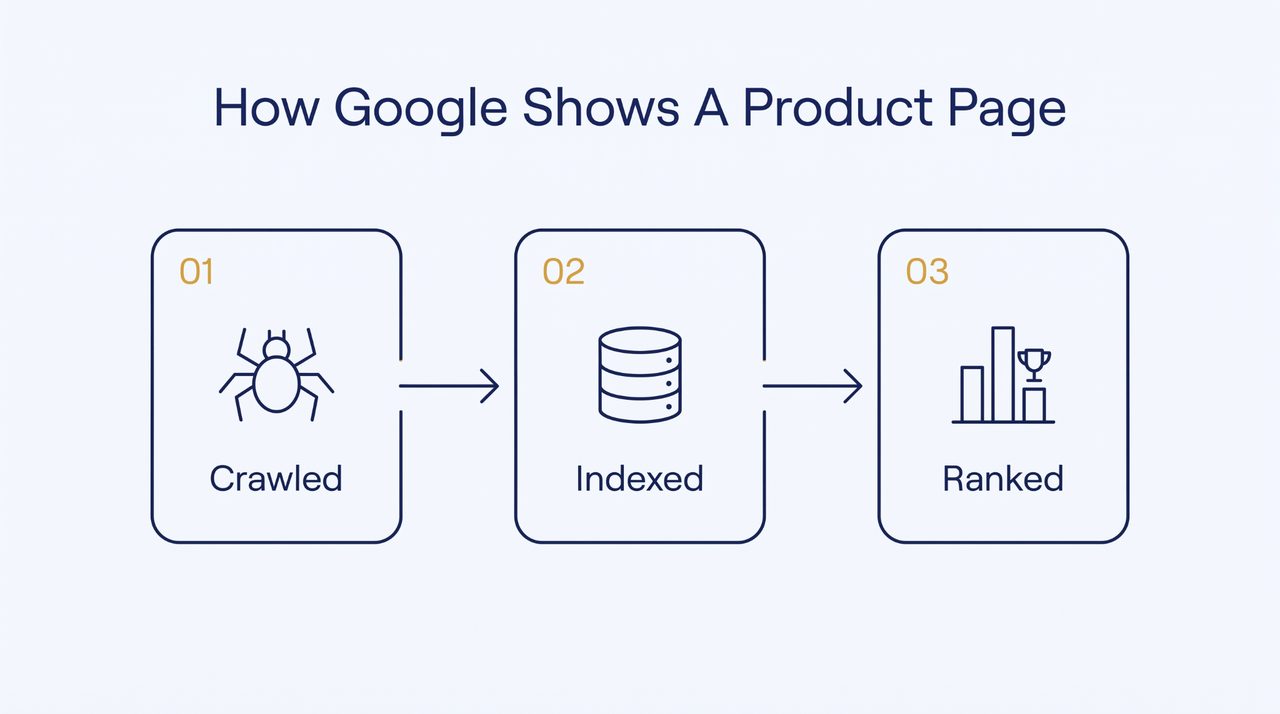
Google puts every page through three checkpoints, and yours can get stuck at any one of them.
1. Crawled, Then Indexed, Then Ranked
Three things happen in order, and each one depends on the last. First, Google's bot crawls the page, which just means it visits the URL and reads what is there. Next, it indexes the page to file it away as something it is allowed to show.
Only then does it rank the page against what people are searching for. Fall at the first or second hurdle, and ranking never even enters the picture. A tidy, crawlable URL makes the bot's job easier as it works through your catalog, and that matters more with every product you add.
2. Why A Live Product Page Can Still Be Invisible
This is the bit that confuses people. A page being live and a page being findable are completely different things. You can load the URL yourself and even take orders through it, while Google has either never added it to its index or decided it is not worth ranking.
Search visibility is something a page has to earn, not something it gets automatically for existing. Keep that one idea in your head, and most of the reasons below click into place.
3. Why Great Design Can't Save A Page Google Never Sees
Search for product pages, and you will be overwhelmed by advice about product page design and clever conversion tricks. It is all genuinely useful. Every guide to creating a great product page recites the same best practices and picks apart the best product page design examples from top eCommerce brands like Allbirds or Lululemon.
These product page examples are useful for design inspiration, but they don't tell you whether those pages are getting indexed. Every bit of that advice assumes one thing: that people are already reaching the page.
A stunning product page Google has not indexed pulls in zero search traffic. It doesn’t matter how slick the add-to-cart button or the product photography is if nobody ever gets there.
Visibility comes first, whether you are on Shopify or something custom. The design only starts doing its job once real shoppers show up.
7 Reasons Your Product Pages Aren't Showing Up On Google (And The Fixes)
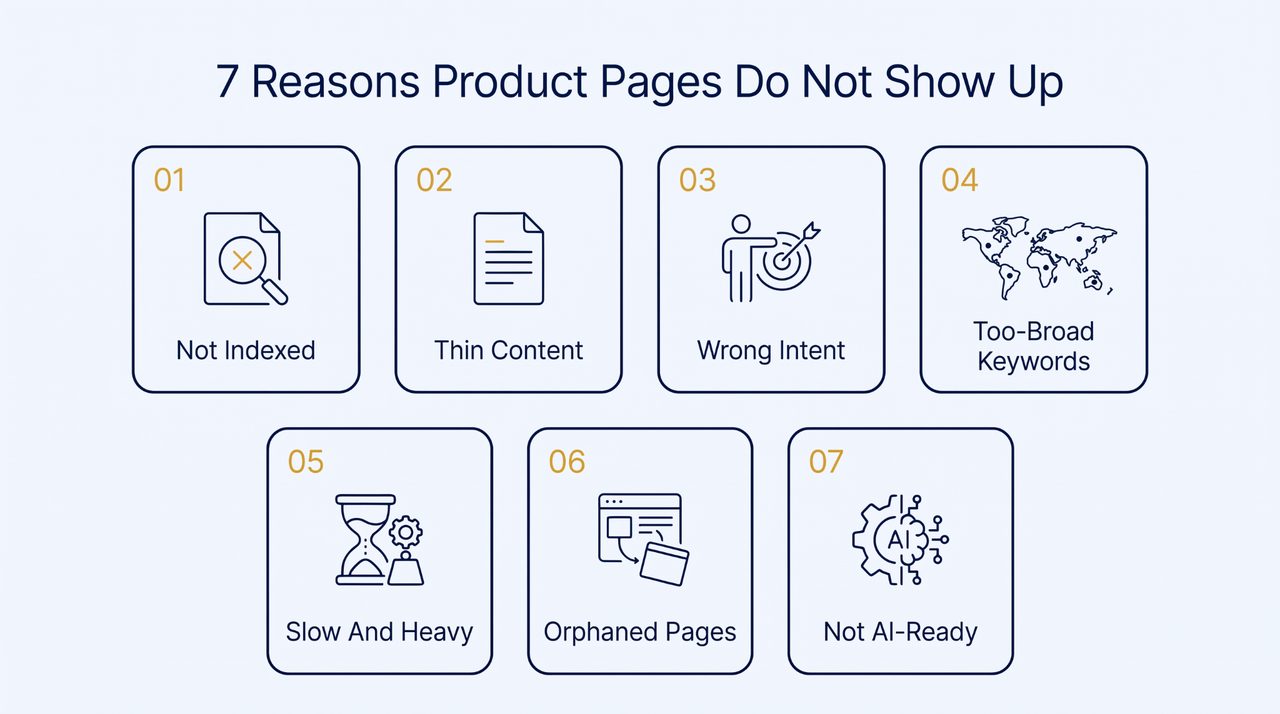
Right, the actual reasons. Each one below is a separate thing that can keep a product page out of search, and each comes with a direct fix. Most stores are only struggling with one or two of these, not all seven, so don’t panic.
1. They Were Never Indexed In The First Place
The most basic reason of all is that Google simply has not put the page in its index, so it is not eligible to show up for anything.
Maybe the crawler was told to stay away. Maybe the page is flagged to keep out of results. Or maybe Google doesn’t even know it exists yet, because nothing on your eCommerce site points to it.
This is way more common than most people think. One study of 16 million pages found nearly 62% were not indexed at all, even with their domains indexed in Google fine.
The same data put the average time for a new page to get indexed at around 27 days. If you have a big catalog, checking every product page by hand is brutal, which is exactly what a decent SEO tool is for. PIM software can also help larger stores maintain accurate product details across multiple sales channels.
How to Fix:
- Open each product page in Search Console and run the URL Inspection tool
- Look for any stray noindex tag or robots.txt rule blocking the page
- Add every product page URL to your XML sitemap and resubmit it
- Hit request indexing for new product pages instead of waiting a full month
2. The Content Is Too Thin To Earn A Ranking
A product page carrying two sentences of the manufacturer's copy gives a search engine almost nothing to work with. There is no unique product information and no product content a real buyer would find useful.
So Google has no reason to pick it over a page that actually says something. Thin pages don’t rank because there is nothing there to rank. Strong product pages feature original descriptions, clear specifications, and answers to common buyer questions.
Depth matters everywhere. It becomes all the more important in categories where someone will not commit until every question is answered. High-consideration decisions are expensive or emotional. They need a page that resolves doubts and proves credibility in one place. Skimp there, and search engines move on to something more complete.
Legal services show this plainly. This Atlanta wrongful death attorney is a good example of real depth done right. It spells out the specific situations that qualify, from workplace negligence to defective products. It publishes concrete outcomes like an $11.7 million judgment and a $5 million verdict. It even explains how to preserve evidence early.
Every serious question a grieving family would type is answered on that one page. That gives a search engine far more to index and a visitor far more reason to stay. A product page built on borrowed spec text is the thin end of that spectrum. That emptiness is usually why it never shows up.
So what actually counts as content on a product detail page? It starts with a clear product title and product name, then a product description that leads with a value proposition rather than a wall of specs. It is the key information a shopper needs before buying, like the size guide and real product photography.
It is social proof too, like customer reviews and a few honest customer photos. A bit of UGC, testimonials, and even before-and-after shots help, so ask happy buyers to leave a review. For big catalogs, product information management software like Sales Layer keeps all that product data consistent, so every product page tells the same true story.
Trust signals matter near the CTAs. A security badge and obvious free returns calm nerves. Showing the total order cost with no surprises removes a decision point that kills the buying decision. That whole mix turns a thin listing into an effective product page that converts.
How to Fix:
- Write your own product descriptions that answer what shoppers ask before buying
- Add a proper size guide and a short FAQ to every product page
- Layer in customer reviews and real customer photos to keep the content fresh
- Include the specific details rivals skip like exact materials and true fit
3. Your Pages Don't Match What People Actually Search
A page can be beautifully written and still never show up, simply because it answers a different question than the one people type. Search engines match on intent, not just the words. A broad do-everything product or landing page aimed at a sharp specific search usually loses to one built for that exact moment.
Intent gets sharper the more urgent or local the search is. Someone needs a specific thing in a specific place at a specific moment. A broad page that only half-addresses that loses to one built around the exact need. These searches carry obvious signals like a location or a stated problem. The page has to answer them to rank.
For instance, someone searching for an internet provider in their city doesn’t want a national homepage that ranks for everything and speaks to no one. They want the company that plainly serves their street, and Google wants to hand them exactly that.
This internet provider in Charlotte is an example worth bookmarking. It doesn’t stop at Charlotte. It names the 9 surrounding areas it serves, so the page fits a Monroe resident as cleanly as a Charlotte one. It shows a local office address and a local phone number, not a faceless national line.
Then it answers the real buying questions on the spot. Five plans with exact speeds and prices are right there, next to a checker that confirms availability by address. The trap it sidesteps is staying vague to cover everywhere and ranking nowhere.
That is the whole game with intent. A page tuned to exactly who is searching beats a generic one trying to please everyone. A product page aimed at a broad term while shoppers search for a specific model never meets that intent. The gap is what keeps it hidden.
How to Fix:
- Search your own target term and study closely what Google already rewards there
- Match the page type to the real intent behind that search, not the keyword
- Build dedicated pages for specific product searches instead of one page for all
- Add the exact model and use-case words that real shoppers actually type
4. You Are Chasing Keywords Too Broad To Win
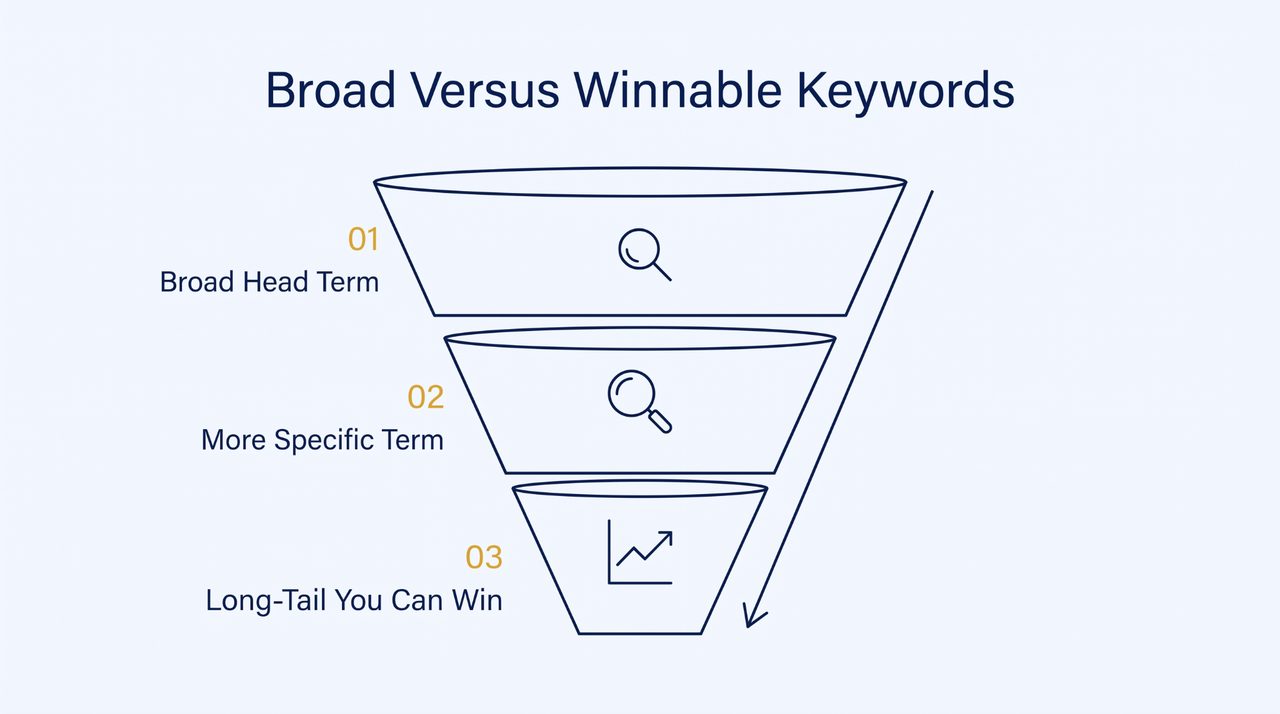
Pointing a product page at a big, high-volume keyword means lining up against the biggest sites on the internet for a word you will probably never outrank. The broader the term, the more authority Google wants to see before it shows you. A newer store just doesn’t have that yet.
In crowded markets, a handful of giants own every broad keyword, so fighting them head-on is a waste. A narrower term with strong buyer intent is both easier to win and often worth more, because the people searching it are much closer to buying.
B2B software shows the payoff of narrowing down. A big term like ERP software would leave a smaller player invisible. So GovCon365 targets a much narrower space instead. It focuses on Microsoft Dynamics 365 built specifically for government contractors.
The page leans into that specificity with DCAA-compliant project accounting. It names billing models made for federal work like Time and Materials and Fixed Price. It even catalogs items against specific government contract vehicles. Anyone searching those exact needs is a serious buyer.
Few pages speak to that audience so directly. That tight focus is what lets a specialized site outrank far bigger ERP vendors for the terms that matter to it. A product page has the same opening whenever it targets a precise long-tail term instead of a broad category keyword. A specific use case or audience is far easier to win.
How to Fix:
- Go after long-tail keywords with real buyer intent instead of broad category terms
- Check a keyword's difficulty before you commit and skip the clearly unwinnable ones
- Build pages around the specific products and audiences you can realistically rank for
- Earn a few backlinks and reviews first before going after big head terms
5. Slow, Image-Heavy Product Pages Get Buried
Whether you run a general website or eCommerce stores, slow-loading pages can frustrate visitors and hurt performance. And a slow product page gets pushed down, full stop. Page experience is a ranking signal, and shoppers bail on pages that crawl.
On an eCommerce product page, the usual offender is obvious: images. Product detail pages (PDPs) can carry a dozen big photos each, and all that weight drags your ranking and conversion rate down.
You are not imagining how widespread this is. Across the web, only 39% of ecommerce sites pass all three Core Web Vitals, so most stores are already slow before they even think about keywords. A faster page is also better UX, and a smoother product experience drives higher conversions as much as rankings.
The weight usually starts long before upload, in the folder of product photography on your own computer. Camera originals are far bigger than a web page needs, and most teams end up hoarding five near-identical shots of the same product.
diCleaner is a free Mac utility from Doinno built for exactly that. Its Similar Photos tool finds near-identical product shots. You keep the sharpest one instead of uploading three slightly different copies.
Its Duplicate Files feature lets you compare matching files side by side and choose which copies to keep. Its Large and Old Files finder points you to the oversized originals worth compressing.
Running a pass like that leaves you uploading lean and deliberate images. That is a direct way to keep a product page fast enough to hold its ranking. And if you add product videos, compress them properly and avoid loading large files before visitors need them.
How to Fix:
- Compress every product image and serve modern formats like WebP or AVIF
- Lazy-load anything below-the-fold so the first screen of the page paints fast
- Give your images fixed width and height so the layout stops jumping around
- Run each template through PageSpeed Insights and fix the worst-scoring issues first
6. Your Product Pages Are Orphaned With No Internal Links
Google partly finds and judges a page by the internal links pointing at it, so a product page with nothing linking to it is both hard to find and easy to ignore. A page hidden 10 clicks deep with no path to it may never get crawled. Even if it does, the silence from the rest of your site tells Google the page barely matters to you.
This happens constantly after a bulk upload. Hundreds of new products appear in the catalog, but no e-commerce product category or related-items block links to them from the live site. Even a wishlist or a simple related link would give Google a way in. The ones it never reaches look like orphans.
How to Fix:
- Link every product page from its product category and a couple of collections
- Add cross-sell and “you might also like” blocks that connect all your product pages together
- Keep your main product pages within about three short clicks of the homepage
- Crawl the whole site to find orphan pages with nothing linking to them
7. You Are Optimizing Only For Google, Not AI Shopping Assistants
Showing up is not only about Google anymore. A real slice of product discovery now runs through AI assistants that answer questions and, increasingly, shop for people. A page written purely for Google's crawler can be completely invisible to them.
This is already real money. Salesforce reckoned AI and shopping agents would drive 21% of global holiday orders, somewhere around $263 billion, which is not a rounding error.
It is interesting to see where this is heading. There is a growing setup where AI agents like Grok Bot can buy things for a shopper. The person connects a verified account and tells the assistant what they are after. They review and approve before any money moves. Then the assistant finishes the checkout with a single-use credential.
What that means for your product page is very concrete. An assistant weighing options reads structured product data like price and availability, not the slick visual information a human enjoys. If your key information is inside an image or missing from the markup, the assistant can’t read it, so it just moves on to a competitor it can.
Being readable by a machine is turning into its own way of showing up. The stores that win the next wave of online shopping, across every channel in a truly omnichannel world, will be the ones whose product data an assistant can parse the second it hits the decision point.
How to Fix:
- Add Product schema so price and availability are machine-readable on every product page
- Keep specs and key information in real text, never trapped inside an image
- Write clear and factual product descriptions an assistant can quote without guessing
- Make your pricing and stock status explicit rather than buried in the design
How To Diagnose Why Your Product Pages Aren't Showing Up
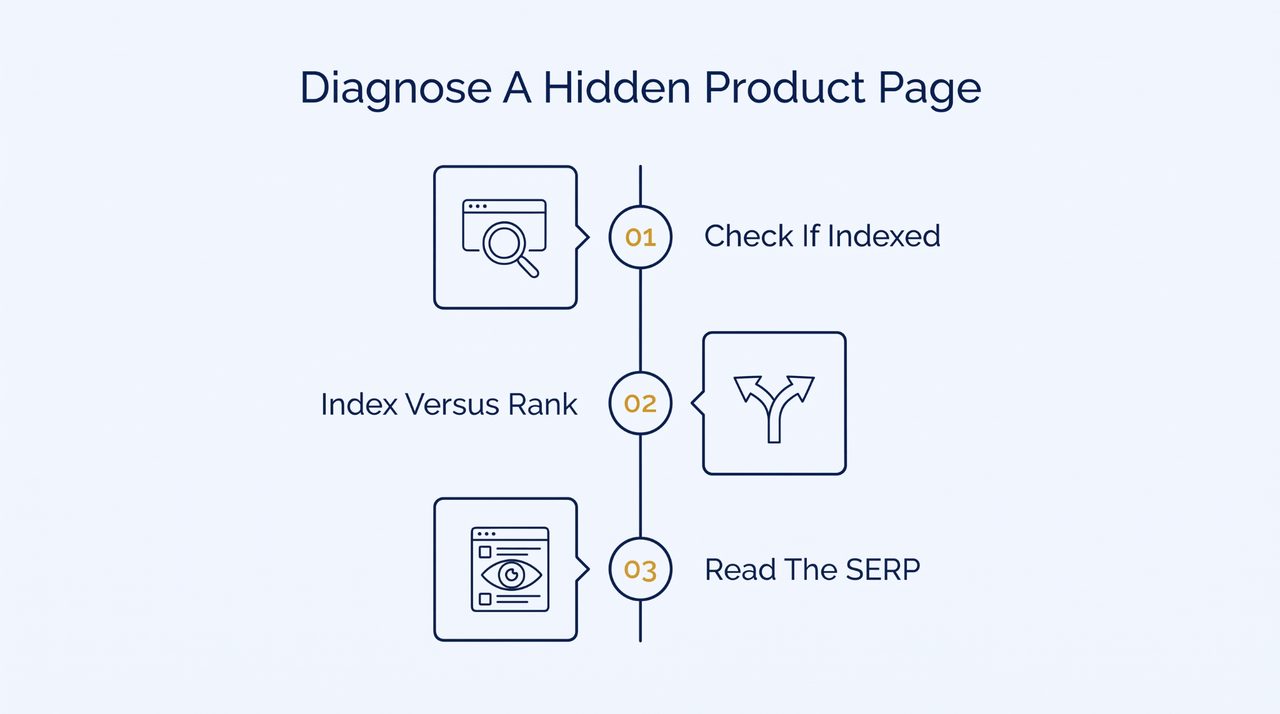
Knowing the seven reasons is one thing. Figuring out which one is actually hitting a specific page is another. And it only takes a few minutes of real checking.
1. Check Whether The Page Is Even Indexed
Start with the most basic question of all. Is this page even in Google's index? Put the full URL into Google with site: in front of it, like site:yourstore.com/that-product. If nothing comes back, the page is not indexed, and you have found your problem.
For the real answer, run the URL through the URL Inspection tool in Search Console. It tells you flat out whether the page is indexed and when Google last crawled it.
2. Separate An Indexing Problem From A Ranking Problem
These two look identical from the outside but need opposite fixes, so don’t skip this step. If the page is indexed but still nowhere to be found, it is a ranking problem. The cause is your content or the competition.
If it is not indexed at all, keywords are irrelevant for now, because a page out of the index can’t rank for anything. Working out which camp you are in saves you weeks of fixing the wrong thing. Here are the common symptoms with the likely cause and the fastest way to confirm it.
| What You Are Seeing | Likely Reason | How To Confirm |
|---|---|---|
| Page missing from a site: search | Not indexed yet | URL Inspection tool in Search Console |
| Indexed but getting no traffic | Wrong intent or too broad a term | Compare your page against what currently ranks |
| Ranks for a while then disappears | Thin content or a faster competitor | Check content depth and page speed |
| New page never appears at all | Orphaned or left out of the sitemap | Run a crawl and check internal links |
3. Read The Live SERP Before Blaming Google
Before you decide Google is being unfair, go look at what it is actually ranking for your term. The results tell you two things: the intent Google expects, and how fierce the competition really is.
The term is out of reach right now if page one is wall-to-wall big retailers and your store is brand new. A more specific term is the smarter play in that case. Picking your spots this way is a skill in itself, so sharpen it before you waste months on a keyword you can’t win.
3 Mistakes That Keep Product Pages Invisible + How To Fix Them
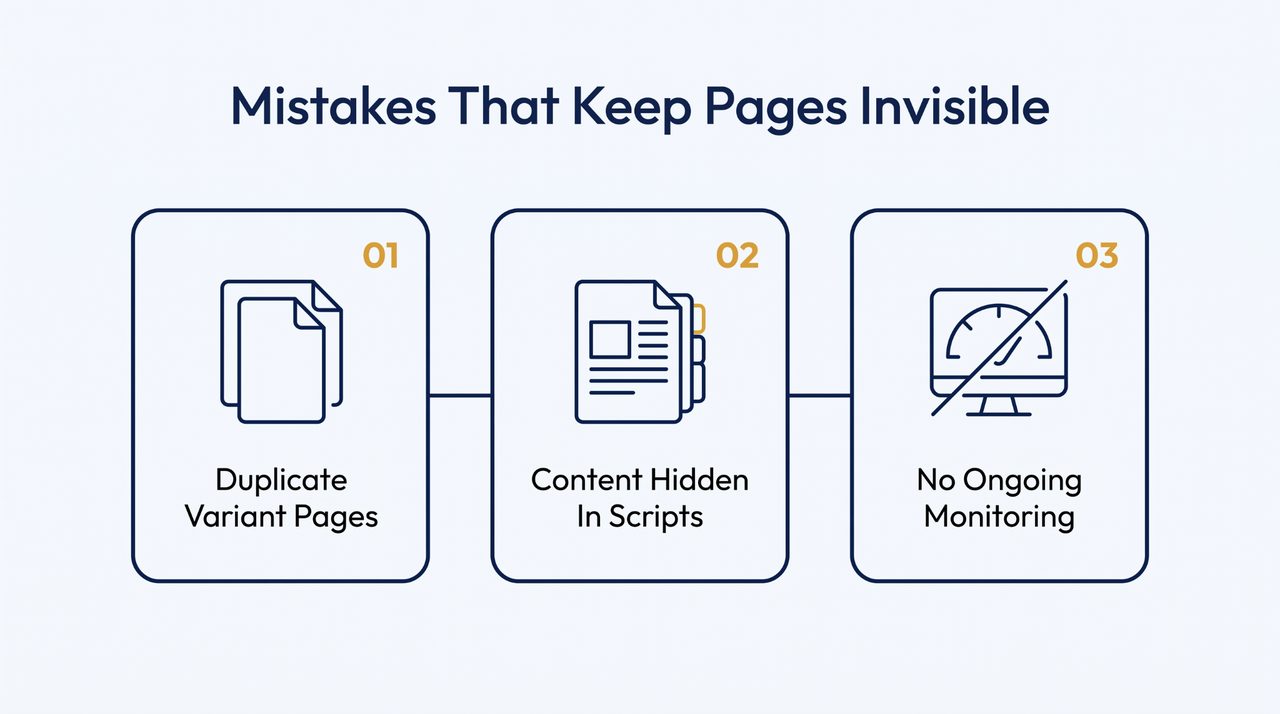
Some problems are not about one page at all. They are bad habits that slowly undo your work, and these three are the ones that keep product pages down even after you are sure you have fixed everything.
1. Letting Near-Identical Variant Pages Compete With Each Other
Loads of stores create a separate page for every variant, so the red shirt and the blue shirt become two almost-identical URLs fighting for the same keyword. Location-based businesses do the same when they copy one page across every town they serve.
Google looks at these near-twins and often can’t decide which deserves the spot, so it ranks none of them well. The upshot is your own pages cannibalizing each other and splitting the authority they could have pooled. It is rampant with location pages for local services, where the temptation to clone one page across twenty towns is hard to resist.
How to Fix: Pick one main page per keyword and point the variants at it with canonical tags. Better still, merge them into one strong page with a clean variant selector for the product options.
A simple variant selection process lets shoppers choose the right size or colour without creating competing URLs for every option. If two pages genuinely target different searches, make their content different enough to stop the overlap.
2. Hiding Key Content Behind Tabs And Scripts Google Can't Read
Plenty of product pages tuck the description and the reviews away behind tabs, or load them in with JavaScript after the page opens. It looks neat to a shopper. But a crawler that doesn’t run every script may never see that content, so the page looks way thinner to Google than it does to you.
You lose the ranking value of all that text you sweated over, because Google never actually reads it. Same story when your key specs only exist inside an image file, where no crawler can get at them.
How to Fix: Keep your core product content in the page's HTML so it reads without any scripts. Tabs are fine to look at, as long as what is inside them is in the source code, not injected later by JavaScript a crawler skips. Put specs in real text, then use URL Inspection to see what Google really renders.
3. Treating It As Done Instead Of Monitoring It
The biggest long-game mistake is publishing and assuming you are finished. Rankings shift, and competitors beef up their pages. A product page that ranked fine last quarter can slide without a peep.
Redesigns are the classic trap. A developer rebuilds templates and accidentally leaves a noindex tag on, or snaps the internal links to hundreds of products at once. Nobody notices until the traffic has been gone for months. On top of that, the whole strategy for eCommerce search keeps shifting, and what worked two years ago often doesn’t now.
How to Fix: Treat visibility as something you keep an eye on. Set up Search Console alerts and check indexing on key product pages regularly. After any redesign or migration, re-check a sample of product URLs so nothing got deindexed or orphaned. Then watch how search itself changes so your pages keep up.
Conclusion
If you take one thing, change how you see the page. A product page is not a storefront to decorate. It is a document that must earn its spot in search. Get it crawled and indexed, then aim it at a search. Most invisible product pages are not beaten by rivals. They lose to a fixable gap nobody checks for.
That is the kind of practical help we put out at SocialAppsHQ. We have more than a thousand marketing guides, all kept current for 2026, covering eCommerce SEO and the platforms your customers actually use. If your product pages are stuck, our guides dig deeper into every fix above, from indexing to page speed. Come find more.

Rajat Garg
Rajat is a digital marketing specialist with more than 8 years of experience. At SocialAppsHQ he manages social media campaigns for businesses worldwide and shares practical, tested marketing guidance through the blog.