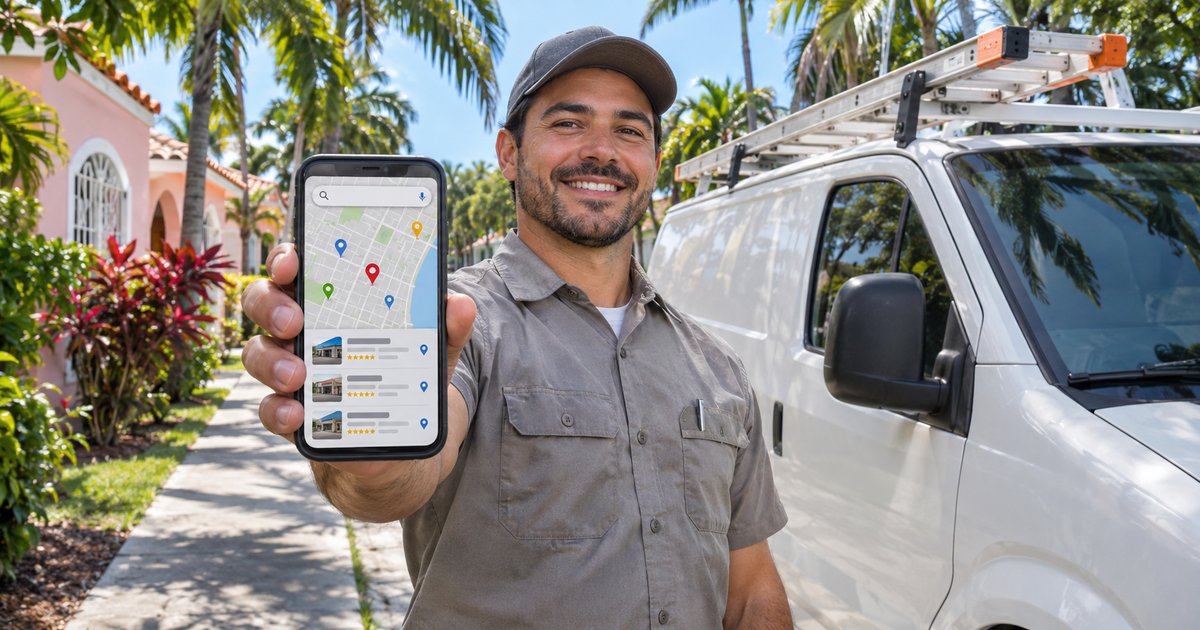
A practical guide for Miami plumbers, AC techs, roofers and other service businesses: how to get into the map pack, cover the neighborhoods you serve and win local searches in English and Spanish.
When an AC unit dies in a Kendall living room in August, nobody opens a directory. They grab a phone, type "ac repair near me", and call one of the first three businesses on the map. If your company isn't in that short list, you don't get the call, however good your work is.
Miami makes this harder than most cities. The metro is spread out, neighborhoods behave like separate towns, half your customers may search in Spanish, and every trade has dozens of competitors buying ads on the same terms. The good news is that local search still rewards the basics done properly. This guide walks through what actually moves a Miami service business up the results, in the order we'd tackle it.
How Local Search Works for Service Businesses
Before fixing anything, it helps to know what you are competing in. A local search result usually has two parts: the map pack (the three businesses shown with a map) and the regular organic results under it. They overlap, but they are not the same thing.
1. The Map Pack Runs on Three Signals
Google says local rankings come down to relevance, distance and prominence. Relevance is how well your profile and website match what someone typed. Distance is how far your business is from the searcher, or from the area they named. Prominence is how well known you are, judged by reviews, links, mentions and your general presence on the web.
You can't change distance much. You can change the other two, and that is where almost all of the work below goes.
2. Why Miami Is a Hard Market
Miami-Dade is big, and Google treats "plumber Hialeah" and "plumber Coral Gables" as different searches with different winners. A business based in Doral can rank well there and barely show up in Miami Beach. Add a bilingual population, a tourist and second-home crowd that searches from out of town, and seasonal spikes for storm and water damage work, and you get a market where generic local SEO advice only gets you partway.
Step 1: Get Your Google Business Profile Right
Your Business Profile is the single biggest lever for map visibility. Most profiles we see in home services are half finished, which is good news, because finishing yours puts you ahead of a lot of competitors straight away.
1. Pick the Right Primary Category
The primary category carries more weight than anything else you set. Choose the one that matches your main money service as closely as possible, such as "Air conditioning repair service" rather than a broad "HVAC contractor" if repairs are most of your calls. Then add secondary categories for the other work you really do. Don't add categories for services you don't offer; it pulls you into searches you can't convert and invites spam reports.
2. Set Your Service Area Honestly
If you go to customers rather than having them come to you, Google expects you to hide your street address and list a service area instead. You can add up to 20 areas. Pick the cities and neighborhoods you actually drive to, such as Brickell, Coral Gables, Doral, Hialeah, Kendall or Miami Beach, rather than listing all of South Florida. A tight, believable service area tends to do better than a sprawling one.
Never use a virtual office or a mailbox store as your address. Google suspends profiles for this regularly, and getting reinstated can take weeks of lost calls.
3. Fill in Everything Else
Add your hours (including whether you take emergency calls), a description that says plainly what you do, your services list with short descriptions, and real photos of your team, your vans and finished jobs. Stock photos don't help. Post updates every week or two: a recent job, a seasonal reminder before hurricane season, a new service. If you want a deeper walkthrough of the map side, our guide to Google Maps SEO covers it step by step.
Step 2: Build Pages for the Searches People Actually Make
The Business Profile gets you onto the map. Your website is what tells Google you are relevant for specific services in specific places, and it is what wins the organic results below the map.
1. One Page per Core Service
A single "Services" page listing everything you do won't rank for much. Give each main service its own page: AC repair, AC installation, duct cleaning, and so on. Each page should explain what the job involves, common problems you fix, what a customer should expect when they call, and how to book. Write it for a homeowner, not for a search engine.
2. Neighborhood Pages Only Where You Have Something to Say
Location pages work in Miami because people really do search by neighborhood. They only work if each page is different. Swapping "Kendall" for "Doral" in the same 400 words is the fastest way to have Google ignore the lot.
A useful neighborhood page talks about what is true there. Older homes in Coral Gables and Little Havana often have aging cast-iron drains. High-rises in Brickell and Edgewater mean condo association rules, building access and elevator bookings. Low-lying parts of Miami Beach see more flood and water damage calls. Mention jobs you have done in the area, add photos from them, and include reviews from customers who live there. If you can't write something specific about a neighborhood, leave it as part of your service area instead of forcing a page.
3. Make the Basics Easy to Find
Put your phone number in the header as a click-to-call link, show your Florida license number where it applies (customers in Miami do check), and make sure the site loads quickly on a phone. Most emergency searches happen on mobile, often from someone standing in a flooded kitchen. They won't wait for a slow page.
Step 3: Don't Ignore Spanish-Language Search
A large share of Miami-Dade households speak Spanish at home, and plenty of them search in Spanish: "plomero cerca de mí", "reparación de aire acondicionado", "techador en Hialeah". Very few service businesses have proper Spanish content, so this is often the easiest win in the market.
Doing it properly means real Spanish pages written or reviewed by a fluent speaker, not a browser translation plugin. Mark them up with hreflang so Google knows which version to show. In your Business Profile, mention that your team speaks Spanish if it does, and reply to Spanish reviews in Spanish. If someone calls from a Spanish page, they need to reach somebody who can help them in Spanish, or the ranking is wasted.
Step 4: Earn Reviews Steadily
Reviews feed prominence, and they decide which of the three map listings a customer actually taps. Volume matters, but so do how recent the reviews are and what they say.
- Ask every happy customer, every time. The best moment is right after the job, while the tech is still on site. Send a short text with a direct link to your review form.
- Let customers mention the details. A review that says "fixed our AC in Pinecrest the same afternoon" helps more than "great service". Don't script it; just ask them to say what you did.
- Reply to all of them. Thank people for good reviews, and answer bad ones calmly with a way to fix the problem. Future customers read the replies.
- Never buy or gate reviews. Fake reviews and only asking happy customers both break Google's rules, and the FTC now fines businesses for fake reviews too.
A steady trickle of new reviews each month beats a burst of fifty followed by silence.
Step 5: Make Sure the Rest of the Web Agrees With You
Google cross-checks your business against other sources. If your name, address and phone number (NAP) differ between your website, your profile, Yelp, Angi, the BBB and Apple Maps, it is less sure you are who you say you are.
Pick one exact format for your business details and use it everywhere. Clean up old listings from a previous address or phone number. Then go after mentions that carry local weight: your chamber of commerce, trade associations, suppliers who list installers, local news coverage after a storm, and sponsorships of a school team or community event. A few real local links do more than hundreds of directory listings.
Step 6: Plan Around Miami's Seasons
Demand for a lot of home services in Miami follows the weather. Atlantic hurricane season runs from June 1 to November 30, and that is when calls for roofing, water damage, mold, generators, shutters and tree removal climb. AC repair peaks through the long, hot summer.
Local rankings don't change overnight, so get the content up before the rush. Publish your storm-prep and post-storm pages in spring, update your profile hours if you run emergency crews, and post on your profile when a storm is forecast. Businesses that only start in August are competing for attention at the exact moment everyone else is too.
Step 7: Measure What Matters
Rankings are a means to an end. What you want is calls and booked jobs. Track these at a minimum:
- Calls, direction requests and website clicks from your Business Profile insights.
- Search Console clicks and impressions for your service and neighborhood pages.
- Where you rank on the map across your service area, not just from your office. A grid rank tracker shows you if you are strong in Doral and invisible in Kendall.
- Which calls turn into jobs. Call tracking numbers, set up properly so they don't break your NAP, tell you which pages and channels bring in real work.
Expect this to take a few months before results settle. Our piece on how long local SEO takes to show results sets out realistic timelines.
When It Makes Sense to Get Help
Everything here can be done in house if someone on your team has a few hours a week and the patience to keep at it. Many owners don't. They are running crews, quoting jobs and answering the phone, and the marketing slips until a slow month forces it back up the list.
If that sounds familiar, working with a team that already knows the Miami market can save you a lot of trial and error. Look for people who can show you local rankings they have actually moved, who will explain what they plan to do in plain English, and who report on calls and jobs instead of just traffic. If you're comparing options, start with providers that offer dedicated Miami SEO services rather than a one-size-fits-all package, because the neighborhood-level and bilingual work described above is where most of the gains are.
Common Mistakes That Keep Miami Businesses Off the Map
- Keyword-stuffing the business name. Calling yourself "Best Plumber Miami 24/7 Emergency Plumbing" might work for a while, but it breaks Google's guidelines and competitors report it.
- Copy-paste location pages. Thin, duplicated neighborhood pages get filtered out and can drag down the rest of the site.
- Listing a service area you can't serve. Claiming all of Broward and Palm Beach when your crews never leave Miami-Dade leads to calls you turn away and reviews about no-shows.
- Letting the profile go quiet. No new photos, posts or reviews for months tells Google and customers the business may not be active.
- Ignoring Spanish speakers. In this market, that is leaving a big group of customers to whoever bothers to serve them.
Conclusion
Showing up in Miami local search is less about tricks and more about being clearly the right answer for a specific job in a specific neighborhood. Get your Business Profile complete and honest, build pages that say something real about each service and area, serve Spanish searchers properly, earn reviews steadily, and get ready before the busy season instead of during it. Do those consistently and the calls follow.
That is the kind of practical help we put out at SocialAppsHQ. We have more than a thousand marketing guides covering local SEO, Google Business Profile and the platforms your customers use every day. If you're working on your own local visibility, there's plenty more to dig into.

Rajat Garg
Rajat is a digital marketing specialist with more than 8 years of experience. At SocialAppsHQ he manages social media campaigns for businesses worldwide and shares practical, tested marketing guidance through the blog.